Whether you’re a seasoned enterprise storage administrator or completely new to the world of storage and eager to explore one of the top-tier storage arrays, the Pure simulator is a valuable resource for you. While you have the option to request a test drive of their arrays, there is a significant limitation: a valid work email address is a prerequisite. Using email services like Hotmail, Gmail, or even your student email won’t suffice. Unfortunately, they do not extend this offer to individuals with such email addresses, as they do not perceive as much value in those requests and will not provide you with the access link.
Thankfully, there’s a much more accessible way to get your hands on Pure arrays, and the best part is, you can access not just one but two of them simultaneously. This opens up the opportunity to explore and learn advanced features like replication and more. So, how can you gain access to it? VMware Hands-on-Lab (labs.hol.vmware.com) comes to the rescue. You have the flexibility to register an account on the site using any of your email addresses!
Once you’ve successfully logged in, you’ll be able to explore the extensive catalog of VMware-related labs. The specific lab we’re focused on is “VMware vSphere Virtual Volumes and Storage Policy Based Management” (HOL-2537-02-VCF-L). VMware is providing you with two vSphere clusters: Region A and Region B, each with its own vCenter and a connected Pure FlashArray.
Now you can…
- Create LUNs and attach to the ESXi hosts
- Replicate LUNs from Site Region A to Region B
- Enable snapshots on volumes and recover a VM from the snapshot
The opportunities are boundless. The arrays have activated iSCSI service on one of their ports. Obtain the IP of this port from the Settings tab and then establish client connections to it. The screen below shows the UI of one of the Arrays.

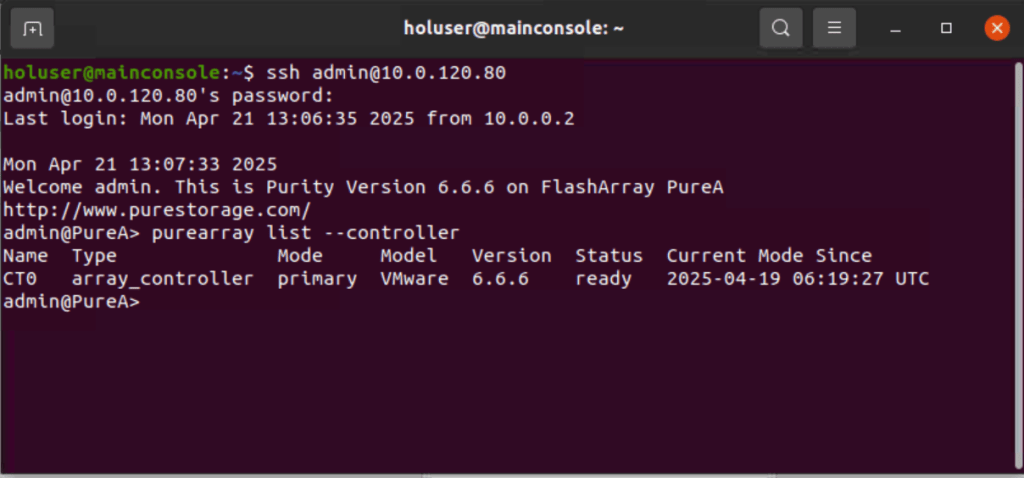
Also, make sure to explore the CLI commands of the Purity Operating System. To do this, launch Terminal from the taskbar and run, ssh admin@10.0.120.80 with the password VMware123!
 LinuxStorageVMware